
Got a question?
We've probably got an answer ready. Plain-English answers to what people ask us most. Use the search or pick a section below.
General
What is Appt In?
Appt In is a mobile app that helps independent businesses run their day-to-day — bookings, messages, payments, customer details — all in one place. We built it to give independent businesses big-business advantages, without the price tag or the head-scratching. It's free to start, with paid plans when you want more.
Who is Appt In for?
Two kinds of people. The first: independent businesses, tradespeople and side-hustlers who want a simpler way to keep in touch with customers. The second: their customers — the people who book hairdressers, gardeners, tutors and the rest. Both download the same app and connect through it.
Is it really free?
Yes. You can download Appt In and use the core features — messaging, bookings, payments, contact storage — for free, forever. We never ask for card details upfront. Paid plans unlock more storage, more protected calling minutes, staff seats for your team, and priority placement in our directory, but you only pay if and when you want them.
What's the difference between a Business and a Community account?
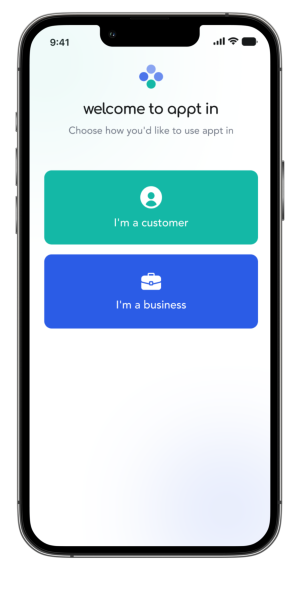
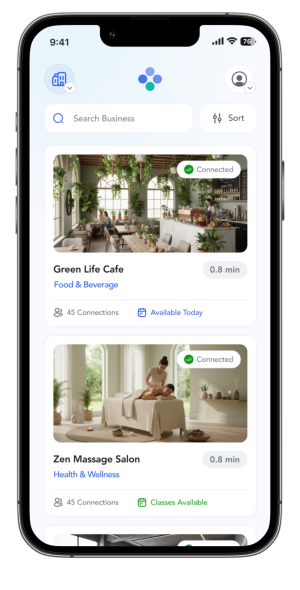
A Business account is for someone selling goods or services - a hairdresser, plumber, dance teacher, you get the idea. A Community account is for the customers of those businesses. The two connect through the app, so a hairdresser can manage bookings and payments with their clients, and those clients keep all their local businesses in one place.
Is Appt In just for the UK?
For now, yes. We're a UK-registered company (Odatacy Network Ltd) building for UK independent businesses first. Other markets are on our roadmap.
Do I need to be a registered business to sign up?
No. Sole traders, side-hustlers and freelancers are all welcome. If you're providing a service or selling a product to someone, you can sign up as a Business.
For businesses
How is Appt In different from WhatsApp?
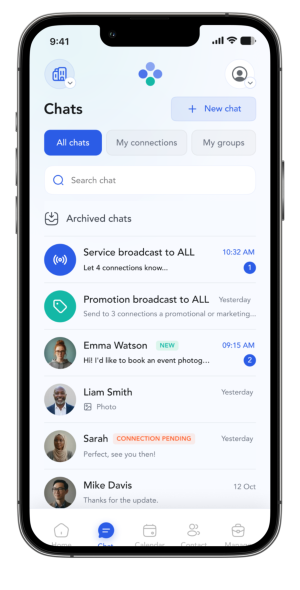
WhatsApp is great for personal chats. Appt In is built for business. You get a dedicated inbox just for customers, plus calendars, payment requests, document sharing, and protection from the data-protection liability that comes with storing customer details on your phone. Your customer data is properly stored and managed — not buried in a chat thread you might lose if your phone goes.
How is it different from Salesforce or other CRMs?
Most CRMs are big, expensive, and built for sales teams. They expect a finance department, training time and a long contract. Appt In is the opposite: free to start, set up in minutes on your phone, and designed for the way independent businesses actually work. Better than WhatsApp. Simpler than Salesforce.
How long does it take to set up?
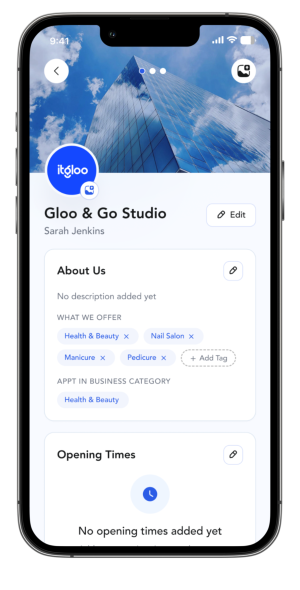
Most businesses are up and running in about 5 minutes. Download the app, add your business details, invite your customers, link your bank, and you're ready to take bookings and payments. We'll walk you through every step in the app.
Can I import my existing customers?
Yes — and we'll help. You can send a referral link to existing customers, or scan QR codes. We'll handle the data-protection consent piece in the background, so you don't have to.
Do I really keep 100% of what I charge customers?
Yes. Customers choose how to pay you: through Appt In, or offline in cash or by bank transfer. If they pay through Appt In, a small fee is added on top of your charge, paid by the customer, never by you. In return, you both get proof of payment, tracking and an automatic receipt. Either way, you receive the full amount you billed.
Can I add my staff to Appt In?
Yes, on paid plans. Grow covers you plus 2 staff. Boost covers you plus 5. Lead covers you plus 10. Each staff member gets their own login and only sees what they need to.
What happens with calling minutes?
Protected voice calling lets you ring customers from inside Appt In without taking on the legal weight of storing their phone number — they see 'calling via Appt In' so they know it's safe to pick up. Free includes 500 minutes per month, paid plans go up to 15,000. Minutes are pooled across your whole team.
What's the personalised QR code I keep hearing about?
Paid plans get a branded Appt In QR code you can stick on flyers, your shop window, your van or your business cards. Customers scan, and they're connected to you in seconds — no number swap, no fumbling for spelling.
What if I want to cancel a paid subscription?
Cancel any time in your App Store or Google Play account. Refunds are handled by Apple or Google under their own policies. After you cancel, you keep your paid features until your billing cycle ends, then drop back to the free plan. No tricks, no hoops.
For community members
Why use Appt In instead of just WhatsApp?
WhatsApp is great for friends and family. But mixing your hairdresser, plumber and dance class chats in there gets messy fast. With Appt In, all your local businesses live in one app — separate from your personal life — with bookings, payments and messages in one place. No more chasing a phone number or a payment receipt.
Will businesses see my phone number?
Only if you choose to share it with them. By default, your phone number is hidden — businesses can call you through Appt In, and your personal number stays your own. If you want a particular business to have your number, you can switch sharing on for them, and switch it off again any time.
Is my personal data really safe?
Yes. We're the data controller, which means GDPR compliance is our job — not yours, and not the businesses you connect with. Your data is encrypted, never sold, and you can view, update or delete it at any time.
Can I manage appointments for my kids or elderly parents?
Yes. You can add family members to your household. Adults keep their own accounts and control what they share. Each child under 16 can have only one account, linked to one adult, and that adult manages their appointments, payments and messages alongside their own.
What does it cost me to pay a business through the app?
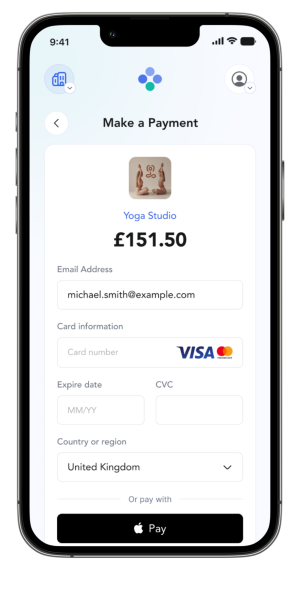
Paying through Appt In is your choice. You can always pay a business offline, in cash or by your own bank transfer, with no Appt In fee. If you pay through Appt In, a small fee is added at checkout: 5% on payments up to £100 (£2 minimum), 3.5% from £100.01 to £500, and 2.5% above £500. Bank transfers and Direct Debit are capped at £12, and Klarna payments are 6%. In return you get secure payment through Stripe, proof of payment, tracking and a receipt, and the fee helps keep Appt In free for everyone. Businesses always receive 100% of what they charge.
Can I disconnect from a business if I want to?
Yes — any time. Tap their profile, hit Disconnect, and they'll lose access to your details. They'll keep records they're legally required to keep (like past invoices), but they can't message or contact you any more.
Using the app
How do I request a payment from a customer?
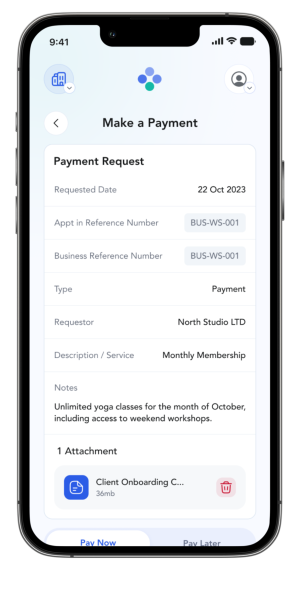
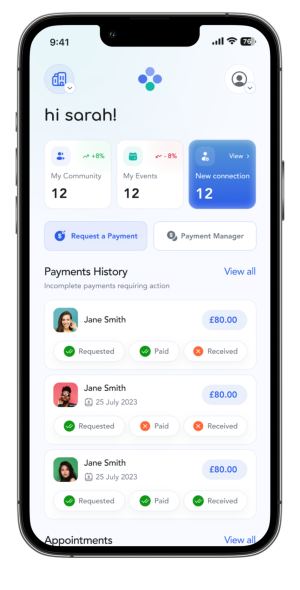
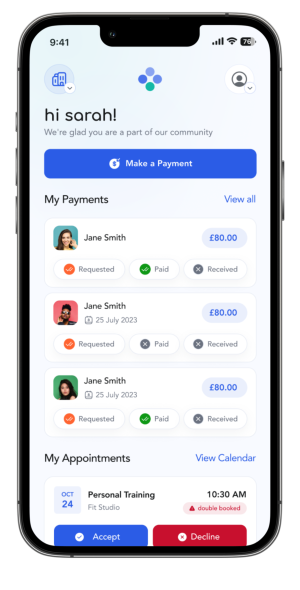
Open the customer's profile in Appt In, tap 'Request payment', enter the amount and a short reference, and send. Your customer gets a notification with a one-tap pay link, you get notified the moment they pay through Appt In, and a receipt is automatically created for both of you. Customers can also choose to pay you offline, with no Appt In fee. If they do, we'll let you know so you can manage it with them directly and mark it as received.
How do I send a payment to a business?
Open the business's profile or the payment request in your inbox, tap 'Pay', confirm the amount (the surcharge is shown clearly before you confirm), and pay. You get instant confirmation and a receipt in the app.
How do I confirm I've received a payment?
Payments through Appt In are confirmed automatically — you'll see them appear in your activity feed the moment they're processed. For payments made directly outside the app, both sides can mark them as 'sent' or 'received' so the record stays accurate.
How do I create or manage a booking?
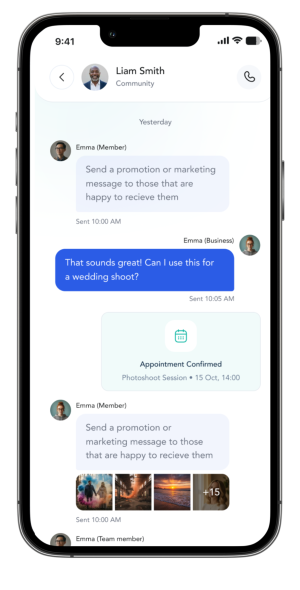
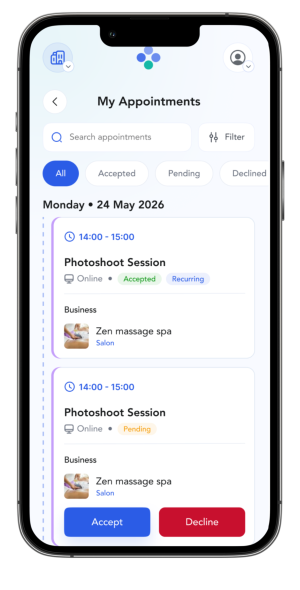
Tap the calendar tab, choose a date and time, pick the customer (or group), add the appointment details, and send. Customers get a notification and an automatic reminder before the appointment. Need to reschedule? Tap the booking, choose a new slot, and both sides see the change.
How do I send a customer a document and get it signed?
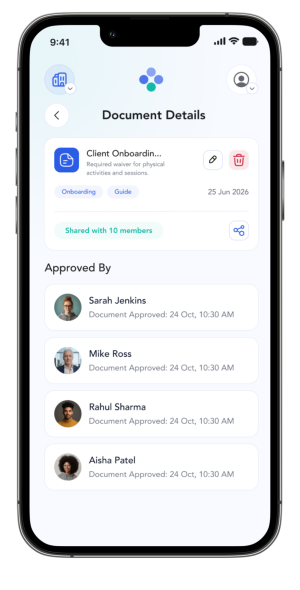
Tap the customer's profile or chat, hit the attach icon, choose your file (contract, waiver, quote, photo), and send. If you toggle 'Require approval' before sending, the customer is prompted to sign off in-app — and you get notified when they accept.
How do I make a protected voice call?
Open the contact you want to call and tap the shield-shaped call icon. The call routes through Appt In, your number stays hidden, and the recipient sees 'calling via Appt In' so they know it's safe to pick up. Calls auto-end at 60 minutes — both sides get a heads-up at 55 minutes with the option to extend.
How do I add my staff to my business?
On any paid plan, visit your My Business page → Staff → Invite. Enter your staff member's email and pick what they can see. They get an invite to set up their own login. Grow includes you + 2 staff, Boost includes you + 5, Lead includes you + 10.
How do I download my QR badge and where should I put it?
Once you're on any paid plan, go to the Plan tab and you'll find your QR badge at the top. Stick it on flyers, business cards, your van, your shop window, your website, your email signature — anywhere customers might be looking.
How do I see my insights?
On any paid plan, your insights panel sits on the home screen — connections, upcoming bookings, new customers and recent payments at a glance. On Free, you'll only see a teaser of your stats on the home screen; upgrade to Grow to see the full picture every time you open the app.
How do I add my partner, kids or parents to my profile?
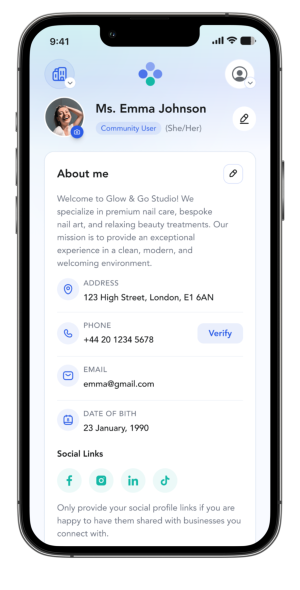
In My Profile → Household, tap 'Add Member'. You can add adult family members as 'sub-members' (they keep their own account, you can manage things on their behalf) or under-16s as 'child members' (managed entirely on your profile). Each child can have only one account, linked to one adult. You'll see their bookings, payments and messages alongside yours.
How do I update my marketing preferences for each business?
Open your contacts and tap the business. In its preferences section, switch marketing on or off. You're in control, business by business, and you can change your mind any time.
What if I lose my phone?
Don't worry — your Appt In data lives on our secure servers, not just on your device. Download the app on your replacement phone, log back in, and everything's still there: customers, bookings, messages, payment history. Email hello@apptin.app if you need help getting back in.
Privacy and data
Will you ever sell my data?
No. Never. We don't sell, rent or otherwise share your personal data with third parties. The only people who see your data are the businesses you've actively connected with, and only the bits relevant to your relationship with them.
Where is my data stored?
In secure data centres. If we ever need to transfer data outside the UK or EU to operate the service, we use approved safeguards (like standard contractual clauses) to keep it protected. Our Privacy Policy goes into the detail.
How do I delete my account?
Tap Settings → Account → Delete account in the app, and we'll process the request. Community accounts are deleted within 90 days, business accounts within 180 days, in line with our Terms. No questions asked.
Plans and payments
Do I need a credit card to sign up?
No. The free plan needs no card details at all. Paid plans are billed through your App Store or Google Play account, so you never enter card details in Appt In.
Can I switch between plans?
Yes. You can upgrade or downgrade any time from inside the app. If you downgrade, any features and storage above your new plan's limit may be removed at the end of your billing cycle, so it's worth tidying up first.
Trust and safety
Are businesses on Appt In verified?
Every business signs up to our Terms and confirms their details. We don't run formal background checks, but we monitor activity and act quickly if anyone misuses the app — including suspending accounts where needed. The community itself is part of the trust signal: connections build over time, and you can disconnect from any business at any time.
What if a business contacts me without permission?
Businesses can only message you if you've connected with them, and you control your marketing preferences for each business individually. If something feels off, tap to report it. We'll investigate and take action if our Terms have been broken.
Support
How do I contact support?
Two ways. Email hello@apptin.app, or use the Help & Support section inside the app. We aim to respond within 48 hours.
Still stuck?
Drop us a line at hello@apptin.app — we read every email and aim to reply within 48 hours.
Ready to Appt In?
Trusted. Connected. Protected. Up and running in 5 minutes.
×